
Claude Pro / Max subscription credits
Buy Claude Pro or Claude Max credits with USDC or USDT, then use the paid-order page for activation details.
Published Jun 26, 2026 · 3 min read
Chrome DevTools can show whether Claude.ai has created a session cookie for your browser profile. Treat the sessionKey value like a password: do not copy it, paste it into chat, send it to support, or publish screenshots where the value is visible.
Buy Claude Pro or Claude Max credits with USDC or USDT, then use the paid-order page for activation details.
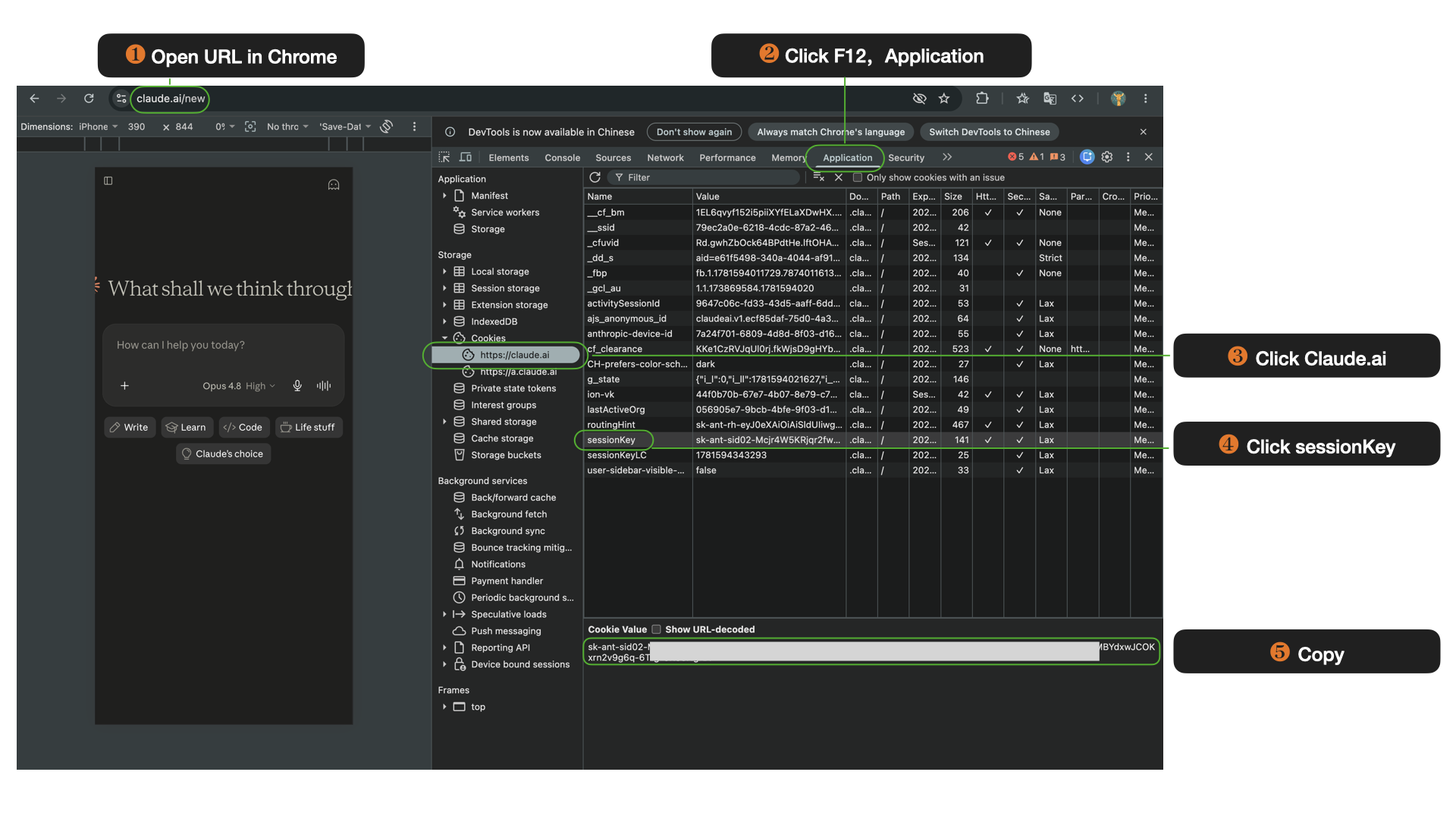
Use this guide only to confirm that your own browser is logged in to Claude.ai. A session cookie can grant access to the account, so it should never be copied into another tool or shared with another person.
If you need to send a screenshot for troubleshooting, blur or cover the Cookie Value field and the Value column before sharing it.
1. Open Chrome and log in to Claude.ai.
2. Press F12 to open Chrome DevTools, then select the Application tab.
3. In the left sidebar, expand Cookies and click https://claude.ai.
4. Find the row named sessionKey.
5. You can view it now.
A sessionKey is not a normal preference setting. It is part of the browser session that proves you are signed in. Anyone who receives a valid session cookie may be able to act as that logged-in user until the session expires or is revoked.
For safety, never post a sessionKey in a ticket, chat, spreadsheet, or public page. If you accidentally shared one, log out of Claude.ai, clear the site cookies for claude.ai, and sign in again to rotate the browser session.
Make sure you are inspecting the same Chrome profile where you logged in. DevTools only shows cookies for the active browser profile and selected site.
If the Cookies section is empty, refresh Claude.ai after logging in, then reopen Application -> Cookies -> https://claude.ai. Some privacy extensions or third-party-cookie settings can also hide or clear site data.
No. Treat it like a password or login token. Do not copy, paste, upload, or send it to anyone.
Only after redacting the Cookie Value field and any visible values in the Value column. The tutorial image on this page is redacted for that reason.
Log out of Claude.ai, clear cookies for claude.ai in Chrome, then sign in again. If you suspect account misuse, also review your Claude account and Anthropic account security settings.
Claude Pro and Claude Max are Anthropic's paid subscription tiers that give access to the latest Claude models — including Claude …
Claude Code is Anthropic's AI coding agent — it runs in your terminal and IDE, reads your codebase, and writes and edits code auto…
Browse available Claude subscription credits, then pay from your crypto wallet at checkout.